Manage Calendars
 Admin User
Calendars are required to organize cost data into time frames, typically accounting calendar months. A calendar structure includes a base calendar and any related reporting calendars and resource calendars. A calendar structure may be unique to a project or you can establish a global calendar with global rate and resource structures projects can share.
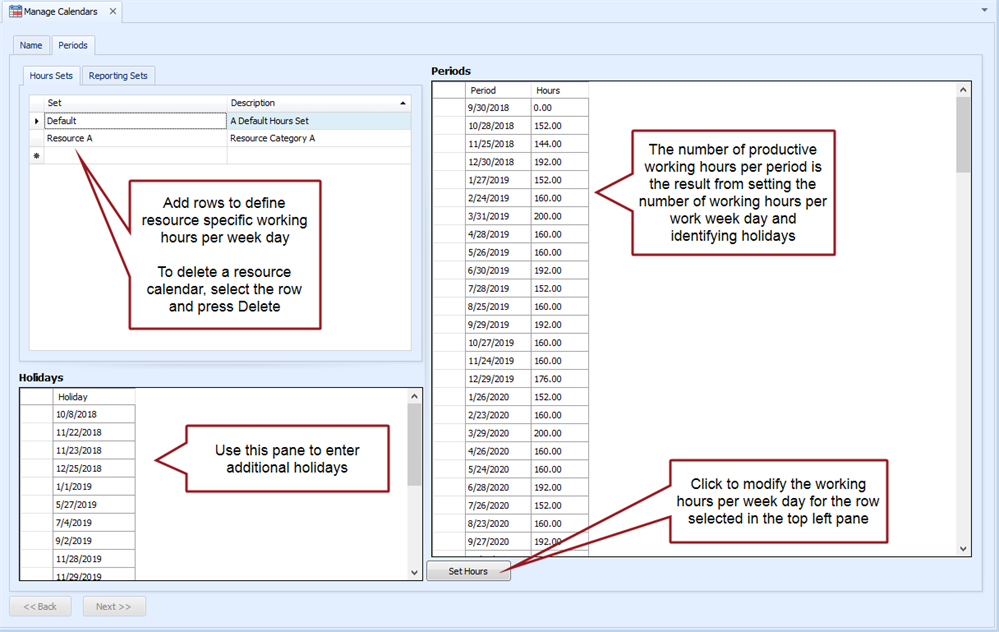
The Base Calendar is the default calendar for a project. You define the end date for each calendar time frame, identify holidays, and set the number of hours worked for each day in a week. EVMax calculates the number of productive hours for each time frame based on holidays and hours set. Once you have created your base calendar, you can define:
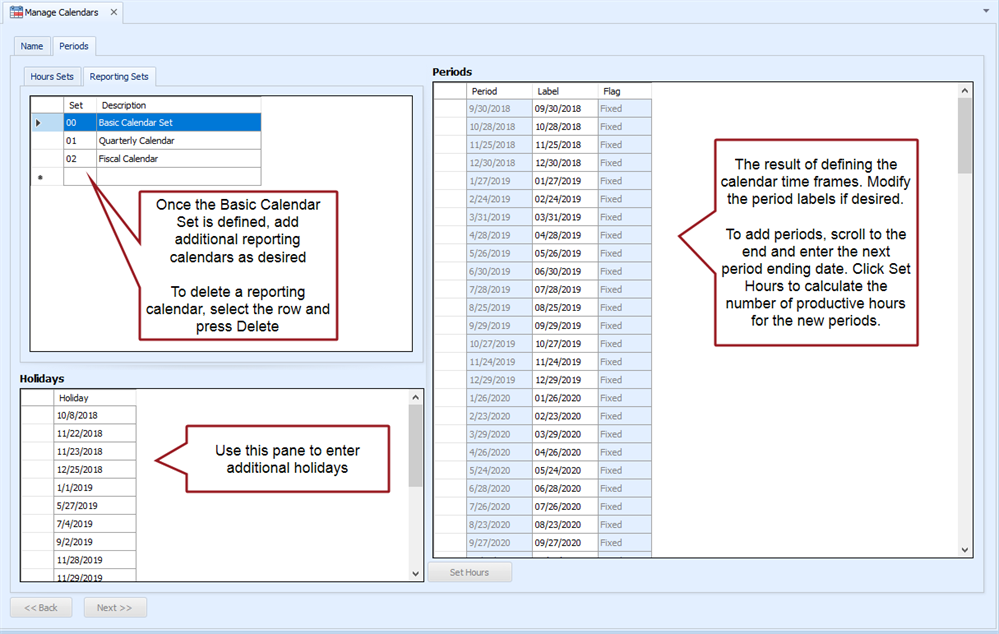
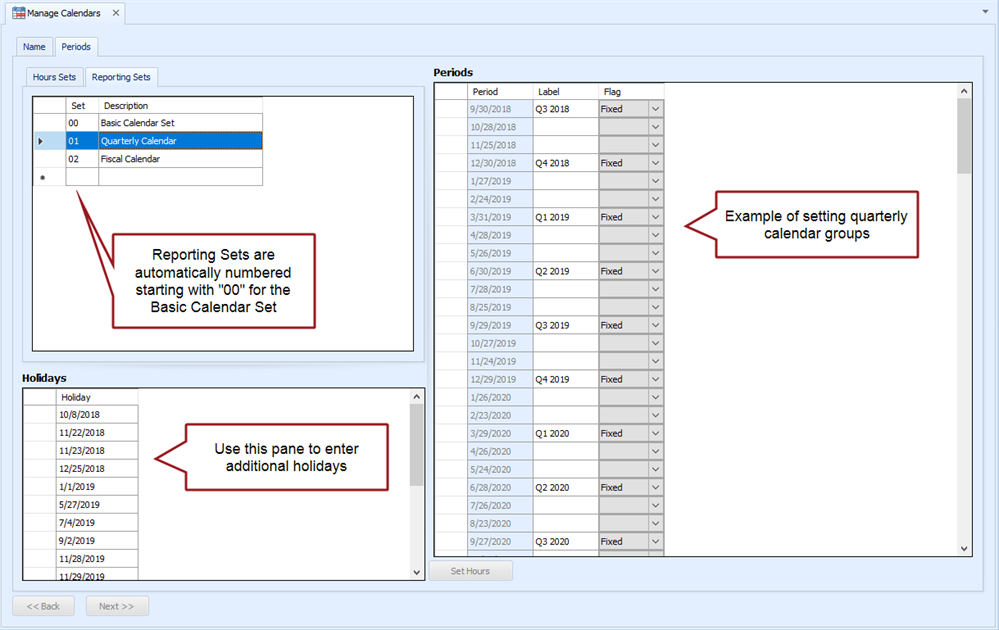
- Reporting Calendars. Define different Reporting Sets to group the calendar time frames for reporting purposes. For example, you can define a quarterly or fiscal year reporting set.
- Resource Calendars. Define resource specific working Hours Sets to calculate different productive hours for these resources. The applicable calendar is assigned to the resource in the resource structure.
 Implementation Tips
- Calendar, rate, and resource structures are unique to each project or they are global structures projects can share. The calendar structure must be set up before the rate structure. Rate structures rely on an assigned calendar to determine rate effective dates.
- If you don't want to set up global structures, create a core base calendar template with the standard accounting calendar time frames, holidays, and hours set. That way other users can quickly create a copy of the core base calendar and modify it as needed for their project. The project's start and end dates determine the period of performance and applicable calendar time frames.
- Extend the core base calendar or global calendar well out into the future to reduce the need to continually maintain the structure. A general guideline is 10 to 15 years in the future.
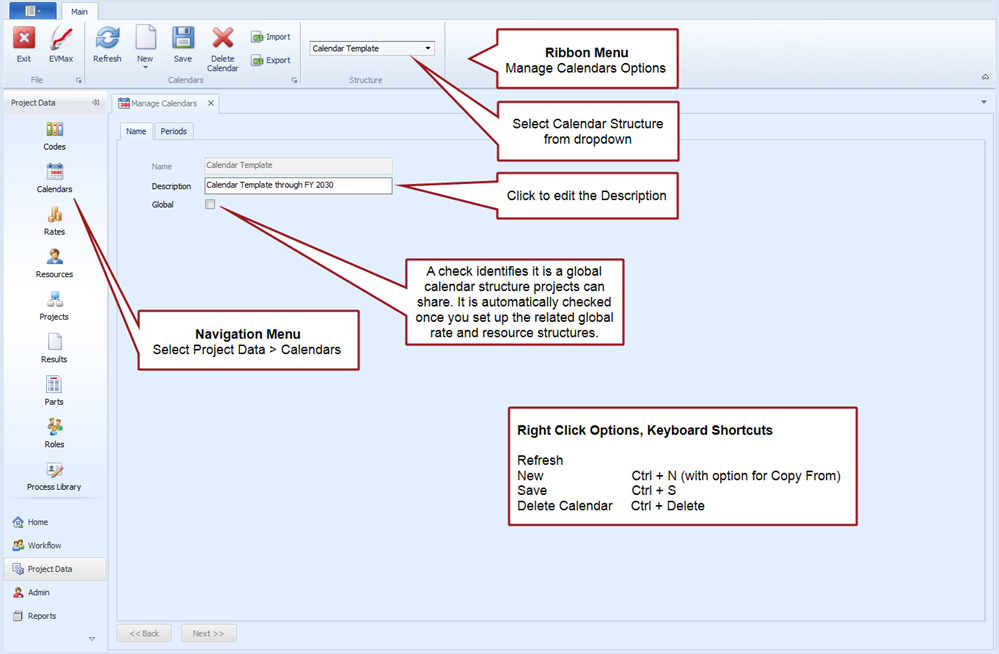
Manage Calendars Tab
Main tab menu options
Periods tab, Hours Sets tab
Periods tab, Reporting Sets tab - Basic
Periods tab, Reporting Sets tab - Example of Quarterly
What to Do Next
Once you have created a unique calendar for your project, the next steps are to:
- Create a project unique Rate Structure.
- Create a project unique Resource Structure.
- Create project unique Codes. At a minimum, this includes the work breakdown structure (WBS). If you intend to add user defined codes or fields to your resource structure, add those codes before you create your resource structure.
- Create your Project.
If you want to set up global calendar, rate, and resource structures projects can share instead of project unique structures, see Setup Global Structures.